CS2 Server Initial Setup
Setting up your Counter-Strike 2 server is quick and easy through our Pterodactyl panel.
1. Setting the Steam Token (GSLT)
To make your server public and allow players to join, you must configure a Steam Game Server Login Token (GSLT).
- Go to the Steam Game Server Account Management page.
- Create a new token for App ID 730 (Counter-Strike 2).
- Access your NexxusHost Pterodactyl panel.
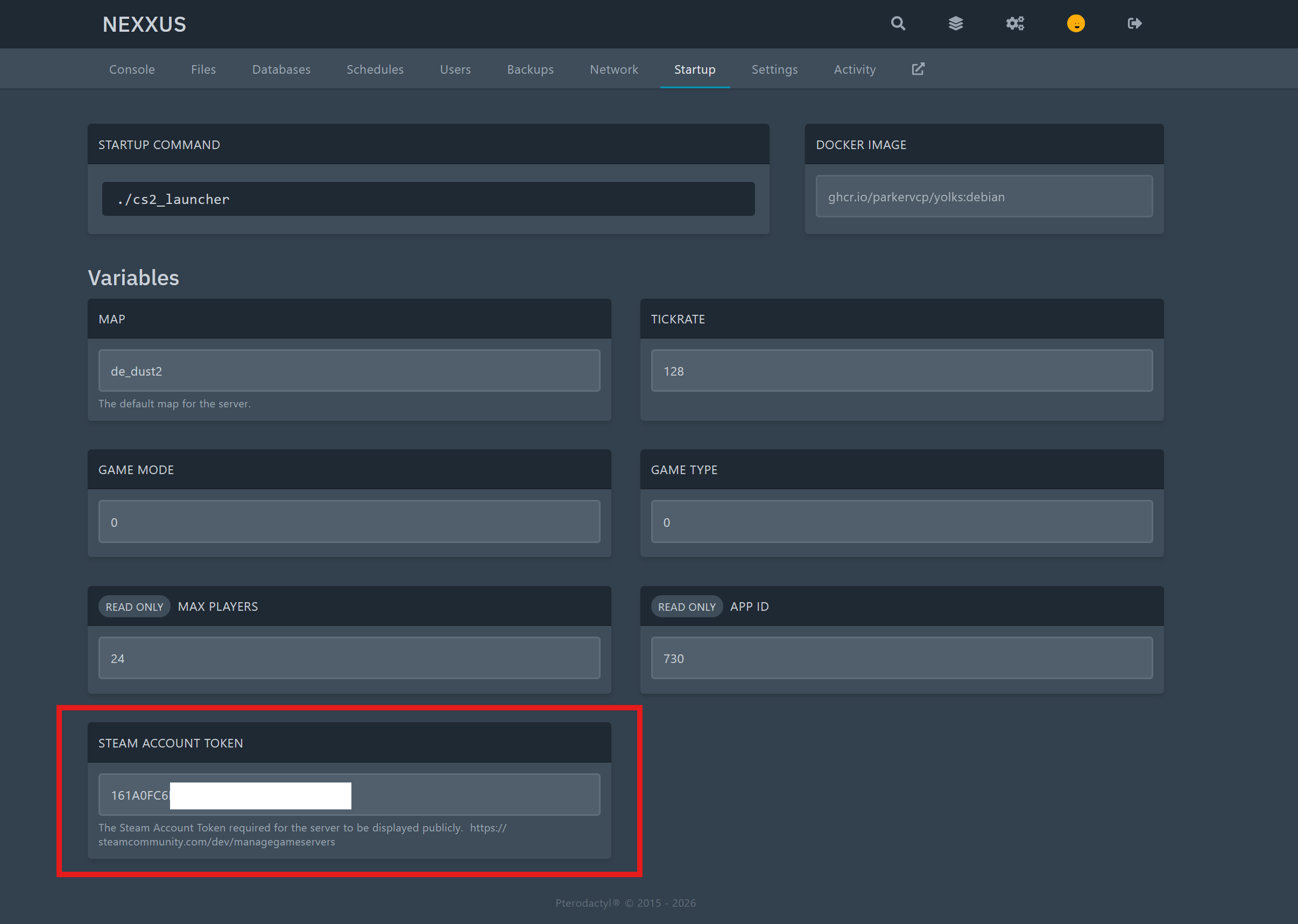
- Go to the Startup tab of your CS2 server.
- Find the Steam Account Token variable and paste the token you generated.
2. Basic Server Configuration
Your server name and basic rules are defined in the server.cfg file.
- Navigate to the File Manager tab.
- Go to the
game/csgo/cfg/directory. - Click on the
server.cfgfile to edit it. - Update the hostname and password:
    hostname "CS2 Server"
    rcon_password "your_secure_rcon_password"
    sv_password "" // Leave empty for a public server